
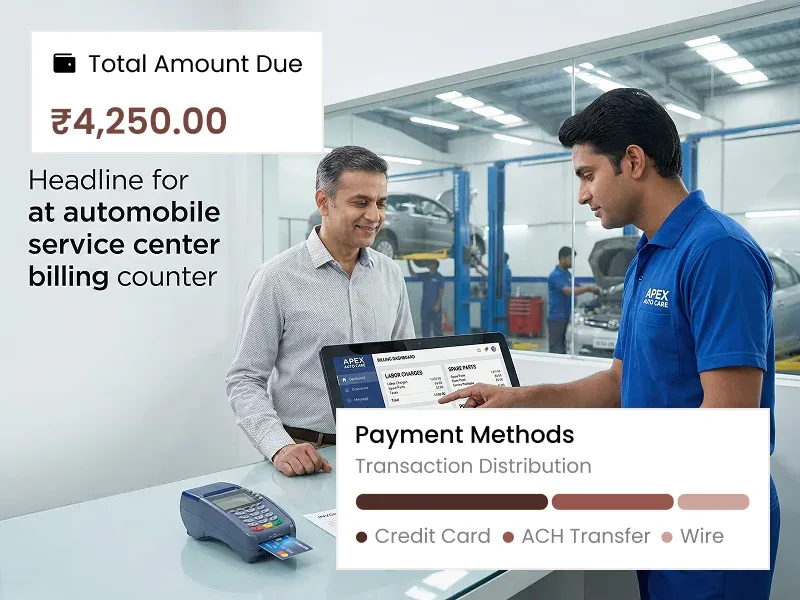
Billing and invoices

Tax management for Automotive Dealers

Tax management for Automotive Dealers in iCRM in India: set the taxes you charge and apply them to quotes and invoices. Part of iCRM for Automotive Dealers.

  • Billing and invoices area
  • Quote in your work
  • Web, mobile and desktop
Tax management in iCRM

Get iCRM working for your business

1000 characters remaining

Prefer to talk? Call (+91) 97122 00017 or visit contact

  • No obligation
  • Quick response
  • Your data is safe

What is tax management in a dealer CRM?

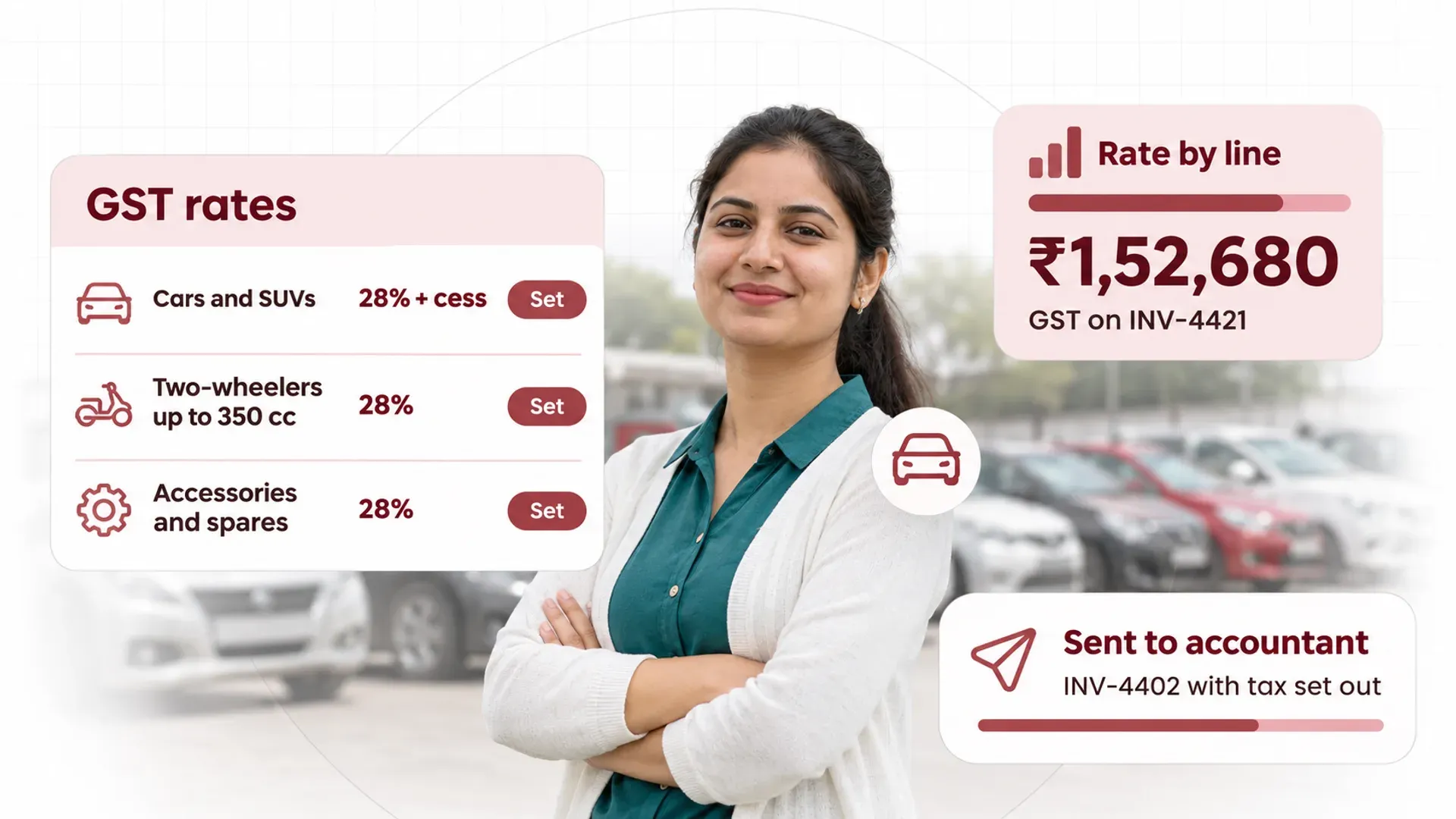
Setting the GST rates your dealership uses once, then choosing the right one for each line of a quote or invoice.

Tax management is where a dealership keeps the tax rates it charges and applies them to its bills. In iCRM you enter your GST rates once, pick the right rate for each line, and the quote and invoice show the tax and the total. A business buyer's GSTIN, kept on their record, can show on their GST invoice. Which rate applies to what stays a decision for you and your accountant.

  • Use case

    Set your tax rates once

    Enter the GST rates your dealership charges once, and they are ready on every quote and invoice after that.

    • Rates agreed with your accountant
    • Entered once by the accounts desk
    • Chosen from one list on each bill
  • Use case

    Apply the right rate to each item

    Vehicles, accessories and services can carry different rates, so pick the right one on each line instead of one rate for the whole bill.

    • A rate for the vehicle line
    • Its own rate for accessories and services
    • The total worked out for you
  • Use case

    See the tax on every invoice

    Each invoice shows the tax on it, so the buyer and your accountant can see how the total was reached.

    • Tax set out on every invoice
    • The buyer's GSTIN where they have one
    • A clear trail for your accountant

How tax management works in iCRM

More in Billing and invoices

The other billing and invoices features iCRM sets up for Automotive Dealers, each on its own page.

About Tax management for Automotive Dealers

In iCRM for Automotive Dealers in India, the CRM for Automotive Dealers, you will find tax management among the Billing and invoices features. Set the taxes you charge and apply them to quotes and invoices.

In the Automotive Dealers workflow it comes in at the Quote step. There it works with estimates, product catalog and quote builder, all on the same record, so nothing is typed twice.

It works with the other features across every area of the work for Automotive Dealers in India. Like every industry in India, Automotive Dealers also includes invoicing, payment tracking, task management, calendar, team messaging and document sharing. One shared record, not another tool to learn.

Recognized with numerous awards

Support, security, uptime and results, with the figures behind each badge.

  • 24/7 response support
  • GDPR approved, certified 2024
  • 99% uptime guarantee
  • ISO 27001 certified company, 2013
  • Customer satisfaction 98%, verified reviews 2025
  • Fastest growing CRM 2025, +140% year on year
  • Top rated support, 4.9 out of 5, average reply 2 minutes
  • Data security, SOC 2 Type II, audited 2025
  • Best ease of use 2025, rated 4.8 out of 5 by users
  • Users' choice 2025, 10,000+ businesses
  • Best value, 3x ROI within 6 months
  • Mobile CRM leader 2025, 4.9 app rating
  • High performer 2025, 95% renewal rate
  • Easiest setup, live in 10 minutes
  • Trusted partner 2025, 24-hour onboarding
  • Momentum leader 2025, +120% growth

FAQ

Questions about tax management

Straight answers to what people ask most about iCRM.

Set up for your industry

Pick yours and its features come ready.

  • Farm Businesses
  • Automotive Dealers
  • Consulting Firms
  • Online Retail
  • Education Institutes
  • Energy Companies
  • Financial Services
  • Healthcare Clinics
  • Hospitality Businesses
  • Law Firms
  • Logistics Companies
  • Manufacturing Companies
  • Media Agencies
  • Nonprofit Organisations
  • Real Estate
  • Technology Companies
  • Can I raise GST invoices for vehicles in iCRM?

    Yes. Set your GST rates once, apply the right rate to each item and the invoice shows the tax. Ask your accountant which rates and invoice details apply to your sales.

  • Can one invoice carry different GST rates?

    Yes. Apply the right rate to each item, so a vehicle, an accessory and a service on the same invoice can each carry their own rate.

  • Can I keep a business buyer's GSTIN in iCRM?

    Yes. Keep the GSTIN on the buyer's record with their other details, so it is ready when you raise their quote and invoice.

  • Does iCRM tell me which GST rate applies to a vehicle?

    No. iCRM applies the rates you set. Which rate applies to each vehicle, accessory or service is for you and your accountant to decide.

  • Does the quote show the same tax as the invoice?

    Yes. The rates you apply on a quote's lines are the ones you set in tax management, and the invoice uses the same rates.

Get started with iCRM

Leads, quotes, work, invoices and payments in one app, set up for the way your industry works.

  • 99% Uptime guarantee
  • ISO ISO-aligned security
  • 24/7 Response support
  • GDPR GDPR compliant
  • SSL SSL encrypted
  • 16

    Industries Each with its own features

  • 47

    Features Across those industries

  • 11

    Areas of work From leads to payments

  • 3

    Editions India, France and UAE

Chat with us on WhatsApp 97122 00017